How to Make Money with Canva in 2026 — 7 Easy Ways for Beginners
How to Make Money
with Canva in 2026
— 7 Easy Ways for Beginners
No design experience needed. No expensive software. Just a free Canva account and these 7 simple methods to start earning today.
Here is something most people do not know: Canva is not just a design app. It is quietly one of the best tools in the world for making money online — and most of it can be done completely for free.
People all over the world are using Canva right now to sell digital products, offer design services, create templates, and build real side income — without any design background, without expensive equipment, and without spending a single dollar to start.
This guide will show you exactly how. Seven real methods, step by step, in plain and simple language. By the end, you will know which method suits you best and exactly how to get started today.
Part of our AI income series. We have already covered passive income with free AI tools, five AI side hustles, and the best ChatGPT prompts for beginners. Canva was mentioned in all three — and now it gets its own full guide because it deserves it.
📚 Our Complete AI Income Series
Why Canva is Perfect for Making Money in 2026
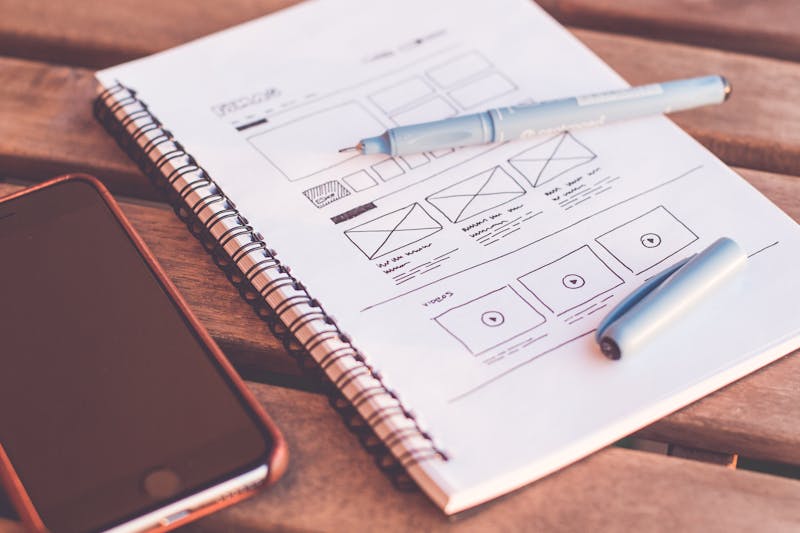
Canva's drag-and-drop design makes creating professional work accessible to anyone — no art school required.
Canva is a free online design tool that lets anyone create professional-looking graphics, presentations, documents, videos, and more — all by dragging and dropping. You do not need to know Photoshop. You do not need a design degree. If you can click a mouse, you can use Canva.
Works in your browser
Thousands of ready templates
No design experience needed
Professional results in minutes
$200–$600 per month per client
Passive income from templates
$10–$150 per freelance project
Unlimited scale potential
7 Ways to Make Money with Canva in 2026
This is the number one way people make money with Canva — and it is genuinely passive. You design a template once, list it online, and every time someone buys it you earn money without doing any extra work.
The best-selling Canva templates right now are Instagram post packs, business card sets, resume templates, wedding invitation sets, and social media content calendars. These are things people desperately need but do not want to design from scratch.
Go to canva.com — free account. Search for "Instagram post" or "business card" or "resume." Look at popular styles and think about how you can make something slightly better or different. You must build from scratch to sell — not copy existing templates.
Focus on one specific audience — for example "Instagram templates for fitness coaches" or "resume templates for fresh graduates." Specific bundles sell far better than random mixed packs. Spend one afternoon designing your first bundle.
On Etsy create a digital download listing. Upload a preview image of your template and write a clear description. Price between $5 and $15 to start. On Gumroad it is completely free to list and they only take a small percentage when you make a sale.
Create a free Pinterest account and pin beautiful images of your template with a link to your shop. Pinterest works like a search engine for visual products — people actively search for templates and planners there every single day.
Almost every local business — restaurants, salons, gyms, clinics, shops — needs social media content. Most post badly designed images or nothing at all. You can offer to handle their Instagram or Facebook for a monthly fee and use Canva to deliver professional results in under one hour per week.
Look at their Instagram page. If they post inconsistently, have blurry graphics, or have not posted in weeks — that is your opportunity. They need exactly what you are offering.
Search for their business type in Canva — "restaurant social media" or "gym Instagram post." Pick a professional template, add their business name and a relevant caption. Show up with these samples ready. Seeing something made specifically for them makes saying yes very easy.
Say: "I will create and deliver 12 ready-to-post graphics every month for $150." That is 3 posts per week and takes you about 2 hours total. Start at a lower price to get your first review and testimonial — then raise your prices confidently.
Printable planners, wall art, and calendars are among the highest-selling digital products on Etsy — and Canva makes them easy to create.
Printables are digital files people download and print at home — budget planners, habit trackers, weekly schedules, motivational wall art, grocery lists, kids activity sheets. These are incredibly popular on Etsy and people buy them every single day. You make the file once and every purchase is instant money with zero extra work.
Pick one: budget planners for students, meal planners for families, habit trackers for adults, or motivational wall art. Specific products attract buyers who are searching for exactly that item.
Open Canva and create a custom design. Use clean layouts, readable fonts, and a consistent colour scheme. Keep it simple — buyers prefer clean and functional over complicated and flashy every single time.
Download as a high-quality PDF. On Etsy create a listing under "Digital Downloads." Upload a beautiful mockup image showing the planner being used. Price individual items between $3 and $8.
There are over 500 hours of video uploaded to YouTube every single minute — and every one needs a thumbnail. Most creators are great at making videos but terrible at designing thumbnails. A bad thumbnail means fewer clicks and less money for them. That gap is your opportunity.
A good YouTube thumbnail takes about 15–20 minutes in Canva. Creators pay $10–$30 per thumbnail. Doing just 3 per day equals $30–$90 daily.
Search "best YouTube thumbnails" and study what they share: big bold text, a face with an expression, high contrast colours, and a clear focal point. Save 10 strong examples as reference. That is your free education done.
Search "YouTube thumbnail" in Canva and use the standard 1280x720 size. Make samples in different niches: cooking, finance, travel, gaming, fitness. These become your portfolio. You do not need a single client to build a portfolio — just Canva and 2 hours of your time.
Create a free Fiverr account and set up a gig: "I will design a professional YouTube thumbnail." Start at $10 per thumbnail to get your first 5 reviews. After good reviews raise to $20–$30. YouTube creators order regularly — many come back every single week.
Print-on-demand means you design products — t-shirts, mugs, phone cases, tote bags, hoodies — and a company prints and ships them automatically every time someone orders. You never touch a single product. You never buy any stock. You just design in Canva and let the system handle everything else.
Both platforms are free to join and connect directly to your Etsy store. They handle printing, packing, and shipping automatically. Printful is slightly easier for beginners. Printify has more product options and lower base prices. Sign up for both — it costs nothing.
Design graphics, quotes, or illustrations that work well on physical products. Simple text designs work extremely well on t-shirts — a motivational quote, a funny phrase, or a niche hobby reference. Download your design as PNG with transparent background.
Connect your Printful account to an Etsy shop. Upload your designs, set your price (base cost plus your profit margin), and publish. Redbubble is even simpler — upload your design and they automatically list it on hundreds of different products. Both are completely free to start.
You do not need to be a published author to create an ebook. If you know something useful — how to save money, how to cook simple meals, how to get started on Fiverr, how to stay organised as a student — you can turn that knowledge into a beautifully designed PDF and sell it online. Canva has ready-made ebook templates that look completely professional. Just fill in your content and download as PDF.
It does not have to be complicated. "10 habits that helped me save money every month" or "How I started freelancing with zero experience" — these are things people search for and pay for. You just need to be one step ahead of your reader.
Search "ebook template" in Canva. Pick a clean professional layout. Write your content in simple language — keep it practical and easy to follow. Aim for 15 to 30 pages. Short useful ebooks sell just as well as long ones — often better.
Create a free Gumroad account. Upload your PDF, write a short description, set your price between $5 and $15, and publish. Share the link on social media, relevant Facebook groups, or Reddit communities related to your topic. Every share is a potential sale with zero extra cost.
This is a lesser-known method but completely legitimate. Canva has its own Creator Programme where you submit original templates, illustrations, and graphics directly to the Canva marketplace. When other Canva users download or use your designs, Canva pays you a royalty. With millions of people using Canva every day, even one popular template can earn consistently for months or years without any extra effort.
Go to canva.com/creators and apply. Canva reviews your application and looks at the quality and originality of your designs. Have at least 5 to 10 clean original designs ready to show. The application process is free and straightforward.
The most downloaded templates on Canva are presentation slides, social media posts, flyers, business cards, and resumes. Design originals in these categories. Make them clean, versatile, and easy for others to customise. The more useful your template, the more downloads and royalties you earn.
The more approved designs you have in the marketplace, the more you earn. Think of each approved template as a small individual passive income stream. Over time with 50 or 100 templates approved, the royalties add up to meaningful monthly income without any ongoing work.
Which Method Is Right for You?
Your Simple 30-Day Start Plan
Pick exactly one method from this guide. Create your free account on the relevant platform (Etsy, Gumroad, Fiverr, or Canva Creator). Do not pick two methods at once — focus is everything at the start.
Create your first product or portfolio sample in Canva. Publish your first listing or Fiverr gig. Tell 5 people what you are doing — word of mouth is still the fastest way to get your first client or sale.
Share your product or service on Pinterest, relevant Reddit communities, and Facebook groups. Post 3 times per week. Promote before you earn — visibility leads to sales.
Check what got the most views and clicks. Improve the listings or services that are close to making sales. Add 3 more products or apply to 10 more Fiverr clients. Build on what is already working.
The number one mistake beginners make: They try two or three methods at the same time and do none of them well. Pick one method. Give it 60 full days. Then add a second. Every successful Canva earner you read about started with just one thing done consistently.
Common Questions Beginners Ask
No. The free version of Canva is more than enough to start all 7 methods in this guide. Canva Pro adds extra features like background removal and more premium elements, but it is not required at the start. Begin free and upgrade only when you feel it is genuinely needed.
Yes, absolutely. Canva is built specifically for non-designers. You start with a ready-made template and simply change the text, colours, and images. Most people create their first professional-looking design within 30 minutes of opening Canva for the very first time.
For service-based methods like social media management or YouTube thumbnails on Fiverr, some people get their first client within a week. For product-based methods like Etsy templates, it usually takes 4 to 8 weeks of consistent listings and promotion. Patience and consistency are the key ingredients.
Not exactly. You cannot resell Canva's existing templates as they are. However, you can use templates as inspiration and build your own original designs using Canva's free elements and tools. Everything you create from scratch with Canva belongs to you and can be sold freely.
This is the most powerful combination available to beginners in 2026. Use ChatGPT (free) to write the content for your ebooks, product descriptions, and social media captions — then use Canva to design everything beautifully. Together they make you incredibly fast and productive. We covered the best ChatGPT prompts for exactly this purpose in our previous blog in this series.
All the Free Tools You Need
| Tool | What It Does | Best For | Cost |
|---|---|---|---|
| Canva — canva.com | Design templates, printables, thumbnails, ebooks, social posts | All 7 methods | Free |
| Etsy — etsy.com | Sell digital products to millions of active buyers | Methods 1, 3, 5 | $0.20 / listing |
| Gumroad — gumroad.com | Sell digital downloads with no upfront cost | Methods 1, 6 | Free |
| Fiverr — fiverr.com | Offer design services and find paying clients | Methods 2, 4 | Free |
| Pinterest — pinterest.com | Drive free traffic to your shop or listings | All product methods | Free |
| Printful — printful.com | Print and ship physical products automatically on every order | Method 5 | Free |
| ChatGPT — chat.openai.com | Write product descriptions, ebook content, captions, and ideas | All methods | Free |
Final power tip: The people earning the most with Canva are not always the most talented designers. They are the most consistent ones. They create new products every week, promote regularly on Pinterest, and improve a little bit every single day. Consistency always beats talent when it comes to making money online.
💬 Which Canva method are you trying first?
Leave a comment below and let us know which one you are starting with. And if this guide helped you, share it with one friend who has been looking for a genuine way to earn online — it might be exactly what they needed to see today.
Disclaimer: Income figures in this article are based on publicly reported earnings from Canva creators, Etsy sellers, and Fiverr freelancers as of 2026. Individual results vary depending on effort, consistency, niche selection, and market conditions. This article is for educational and informational purposes only and does not constitute financial advice. Canva, Etsy, Gumroad, Fiverr, Printful, and Printify are independent platforms — always review their current terms and policies before starting.


Comments
Post a Comment